1Empty
2Empty
3Empty
4Empty
5Empty
6Empty
7Empty
8Empty
9Empty
10Empty
11Empty
12Empty
13Empty
14Empty
15Empty
16Empty
17Empty
18Empty
19Empty
20Empty
21Empty
22Empty
23Empty
24Empty
25Empty
26Empty
27Empty
28Empty
29Empty
30Empty
31Empty
32Empty
33Empty
34Empty
35Empty
36Empty
37Empty
38Empty
39Empty
40Empty
41Empty
42Empty
43Empty
44Empty
45Empty
46Empty
47Empty
48Empty
49Empty
50Empty
51Empty
52Empty
53Empty
54Empty
55Empty
56Empty
57Empty
58Empty
59Empty
60Empty
61Empty
62Empty
63Empty
64Empty
65Empty
66Empty
67Empty
68Empty
69Empty
70Empty
71Empty
72Empty
73Empty
74Empty
75Empty
76Empty
77Empty
78Empty
79Empty
80Empty
81Empty
82Empty
83Empty
84Empty
85Empty
86Empty
87Empty
88Empty
89Empty
90Empty
Featured pickTabletop Spin Wheel GameAs an Amazon Associate we earn from qualifying purchases.
Shop
Public
4lifetime spins
35stotal spin time

TierMakerView Tier ListCreated byTierMakerVerified

Using the Scratch 3.0 Blocks generator

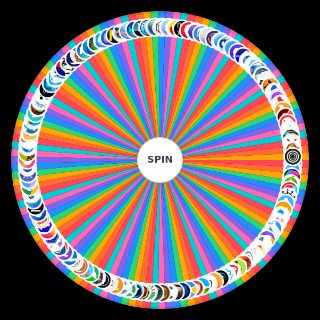
Looking for a Scratch 3.0 Blocks generator? Give it a spin and it picks one of 90 options at random.

Every spin randomly selects one of the 90 options. It's part of our Technology spin wheels. It doubles as a random wheel, decision maker, or quick party game.
All 90 options on the generator

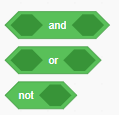
  • Andornotpng — Scratch 3.0 Blocks option 1
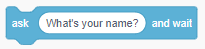
  • Ask Blank And Waitpng — Scratch 3.0 Blocks option 2
  • Awnserpng — Scratch 3.0 Blocks option 3
  • Backdrop Blankpng — Scratch 3.0 Blocks option 4
  • Blank Contains Blankpng — Scratch 3.0 Blocks option 5
  • Blank Mod Blankpng — Scratch 3.0 Blocks option 6
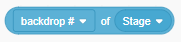
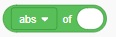
  • Blank Of Blankpng — Scratch 3.0 Blocks option 7
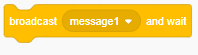
  • Broadcast Blank And Waitpng — Scratch 3.0 Blocks option 8
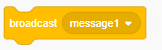
  • Broadcast Blankpng — Scratch 3.0 Blocks option 9
  • Change Blank By Blankpng — Scratch 3.0 Blocks option 10
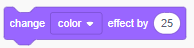
  • Change Blank Effect By Blankpng — Scratch 3.0 Blocks option 11
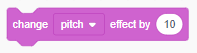
  • Change Pitch Effect By Blankpng — Scratch 3.0 Blocks option 12
  • Change Size By Blankpng — Scratch 3.0 Blocks option 13
  • Change Volume By Blankpng — Scratch 3.0 Blocks option 14
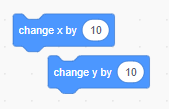
  • Change Xy By Xypng — Scratch 3.0 Blocks option 15
  • Clear Graphic Effectspng — Scratch 3.0 Blocks option 16
  • Clear Sound Effectspng — Scratch 3.0 Blocks option 17
  • Color Blank Is Touching Blankpng — Scratch 3.0 Blocks option 18
  • Costume Blankpng — Scratch 3.0 Blocks option 19
  • Create Clone Of Blankpng — Scratch 3.0 Blocks option 20
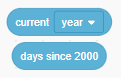
  • Current Blank Days Since 2000png — Scratch 3.0 Blocks option 21
  • Delete This Clonepng — Scratch 3.0 Blocks option 22
  • Directionpng — Scratch 3.0 Blocks option 23
  • Distance To Blankpng — Scratch 3.0 Blocks option 24
  • Equalspng — Scratch 3.0 Blocks option 25
  • Foreverpng — Scratch 3.0 Blocks option 26
  • Glide Blank Secs To Blankpng — Scratch 3.0 Blocks option 27
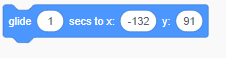
  • Glide Blank Secs To X X Y Ypng — Scratch 3.0 Blocks option 28
  • Go Blank Blank Layerspng — Scratch 3.0 Blocks option 29
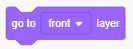
  • Go To Blank Layerpng — Scratch 3.0 Blocks option 30
  • Go To Blankpng — Scratch 3.0 Blocks option 31
  • Go To X X Y Ypng — Scratch 3.0 Blocks option 32
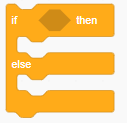
  • If Blank Then Elsepng — Scratch 3.0 Blocks option 33
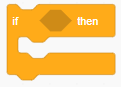
  • If Blank Thenpng — Scratch 3.0 Blocks option 34
  • If On Edge Bouncepng — Scratch 3.0 Blocks option 35
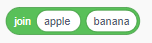
  • Join Blank Blankpng — Scratch 3.0 Blocks option 36
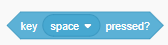
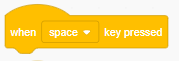
  • Key Blank Pressedpng — Scratch 3.0 Blocks option 37
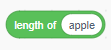
  • Length Of Blankpng — Scratch 3.0 Blocks option 38
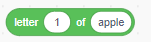
  • Letter Blank Of Blankpng — Scratch 3.0 Blocks option 39
  • Loudnesspng — Scratch 3.0 Blocks option 40
  • Maths Of Blankpng — Scratch 3.0 Blocks option 41
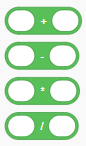
  • Mathspng — Scratch 3.0 Blocks option 42
  • Mouse Downpng — Scratch 3.0 Blocks option 43
  • Mouse Xypng — Scratch 3.0 Blocks option 44
  • Move Blank Stepspng — Scratch 3.0 Blocks option 45
  • Next Backdroppng — Scratch 3.0 Blocks option 46
  • Next Costumepng — Scratch 3.0 Blocks option 47
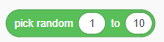
  • Pick Random Blank To Blankpng — Scratch 3.0 Blocks option 48
  • Play Sound Blank Until Donepng — Scratch 3.0 Blocks option 49
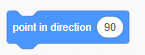
  • Point In Direction Blankpng — Scratch 3.0 Blocks option 50
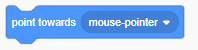
  • Point Towards Blankpng — Scratch 3.0 Blocks option 51
  • Repeat Blankpng — Scratch 3.0 Blocks option 52
  • Repeat Until Blankpng — Scratch 3.0 Blocks option 53
  • Reset Timerpng — Scratch 3.0 Blocks option 54
  • Round Blankpng — Scratch 3.0 Blocks option 55
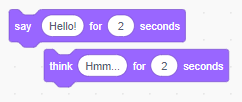
  • Saythink Blank For Blank Secondspng — Scratch 3.0 Blocks option 56
  • Saythink Blankpng — Scratch 3.0 Blocks option 57
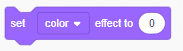
  • Set Blank Effect To Blankpng — Scratch 3.0 Blocks option 58
  • Set Blank To Blankpng — Scratch 3.0 Blocks option 59
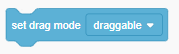
  • Set Drag Mode Blankpng — Scratch 3.0 Blocks option 60
  • Set Pitch Effect To Blankpng — Scratch 3.0 Blocks option 61
  • Set Rotation Style Blankpng — Scratch 3.0 Blocks option 62
  • Set Size To Blankpng — Scratch 3.0 Blocks option 63
  • Set Volume To Blankpng — Scratch 3.0 Blocks option 64
  • Set Xy To Xypng — Scratch 3.0 Blocks option 65
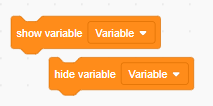
  • Showhide Blankpng — Scratch 3.0 Blocks option 66
  • Showhidepng — Scratch 3.0 Blocks option 67
  • Sizepng — Scratch 3.0 Blocks option 68
  • Start Sound Blankpng — Scratch 3.0 Blocks option 69
  • Stop All Soundspng — Scratch 3.0 Blocks option 70
  • Stop Blankpng — Scratch 3.0 Blocks option 71
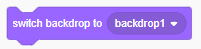
  • Switch Backdrop To Blankpng — Scratch 3.0 Blocks option 72
  • Switch Costume To Blankpng — Scratch 3.0 Blocks option 73
  • Timerpng — Scratch 3.0 Blocks option 74
  • Touching Blankpng — Scratch 3.0 Blocks option 75
  • Touching Color Blankpng — Scratch 3.0 Blocks option 76
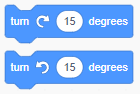
  • Turn Blank Degreespng — Scratch 3.0 Blocks option 77
  • Usernamepng — Scratch 3.0 Blocks option 78
  • Variablepng — Scratch 3.0 Blocks option 79
  • Volumepng — Scratch 3.0 Blocks option 80
  • Wait Blankpng — Scratch 3.0 Blocks option 81
  • Wait Until Blankpng — Scratch 3.0 Blocks option 82
  • When Background Switched To Blankpng — Scratch 3.0 Blocks option 83
  • When Blank Is Pressedpng — Scratch 3.0 Blocks option 84
  • When Flag Clickedpng — Scratch 3.0 Blocks option 85
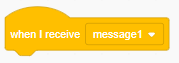
  • When I Receive Blankpng — Scratch 3.0 Blocks option 86
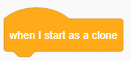
  • When I Start As Clonepng — Scratch 3.0 Blocks option 87
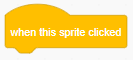
  • When This Sprite Clickedpng — Scratch 3.0 Blocks option 88
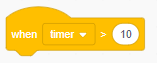
  • When Timer Greater Than Blankpng — Scratch 3.0 Blocks option 89
  • Xy Positionpng — Scratch 3.0 Blocks option 90

Comments

Sign in to leave a comment.
More in Technology